> For the complete documentation index, see [llms.txt](https://docs.ohmyapp.io/main/llms.txt). Markdown versions of documentation pages are available by appending `.md` to page URLs; this page is available as [Markdown](https://docs.ohmyapp.io/main/guide/develop_app/command-execute-function/action/update.md).
# 데이터 수정(update)
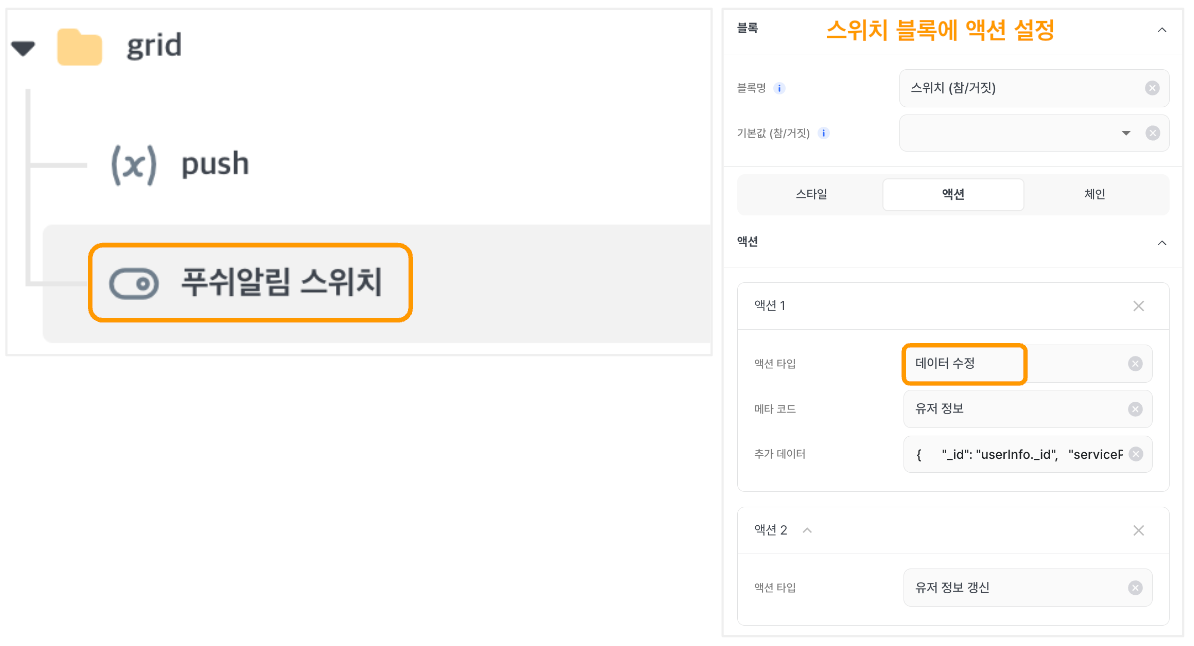
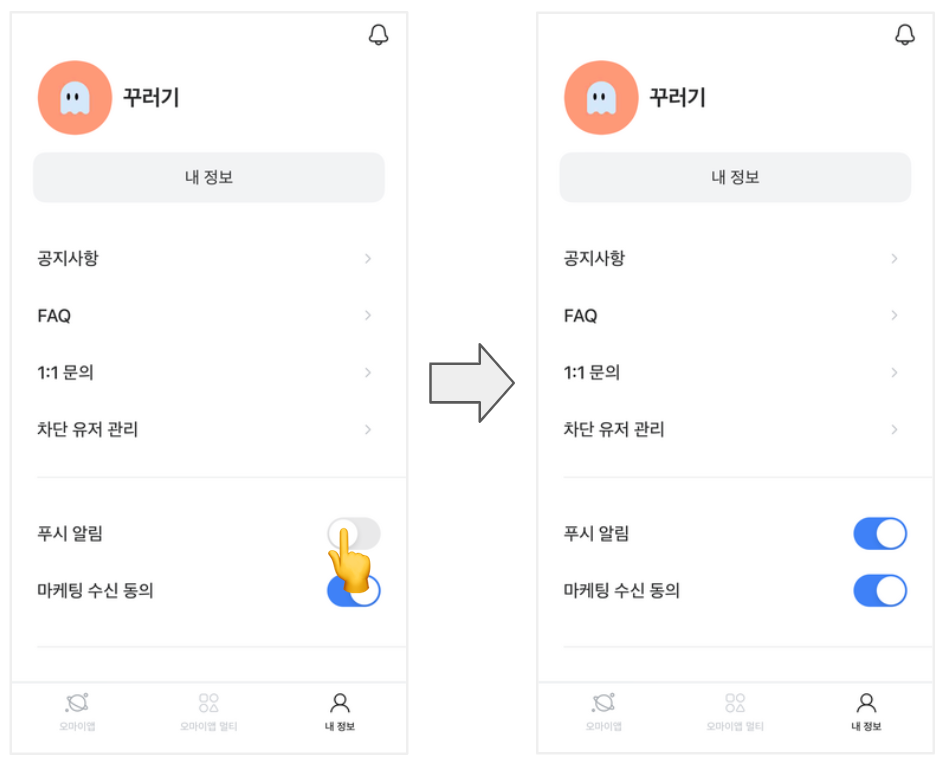
데이터의 상태값을 수정하는 동작을 수행해요. 주로 \[수정하기], \[푸시 알림의 스위치] 버튼 액션 설정에 사용해요.
스위치를 클릭하면, 설정한 **데이터 수정** 액션에 따라 데이터의 값이 수정되어 저장돼요.
> 수정하기, #고치기, #편집하기, #수정 버튼, #데이터 수정하기
2023.10.04 Jinny
**Data Modification (update)**
This function conducts the operation of data modification. It is frequently utilized to activate the 'modification' button within the action settings.
> \#edit, #adjustment, #modify, #modification button, #modify data
2023.08.08 Song