> For the complete documentation index, see [llms.txt](https://docs.ohmyapp.io/main/llms.txt). Markdown versions of documentation pages are available by appending `.md` to page URLs; this page is available as [Markdown](https://docs.ohmyapp.io/main/guide/develop_app/command-execute-function/action/edit.md).
# 데이터 수정 화면으로 이동(edit)
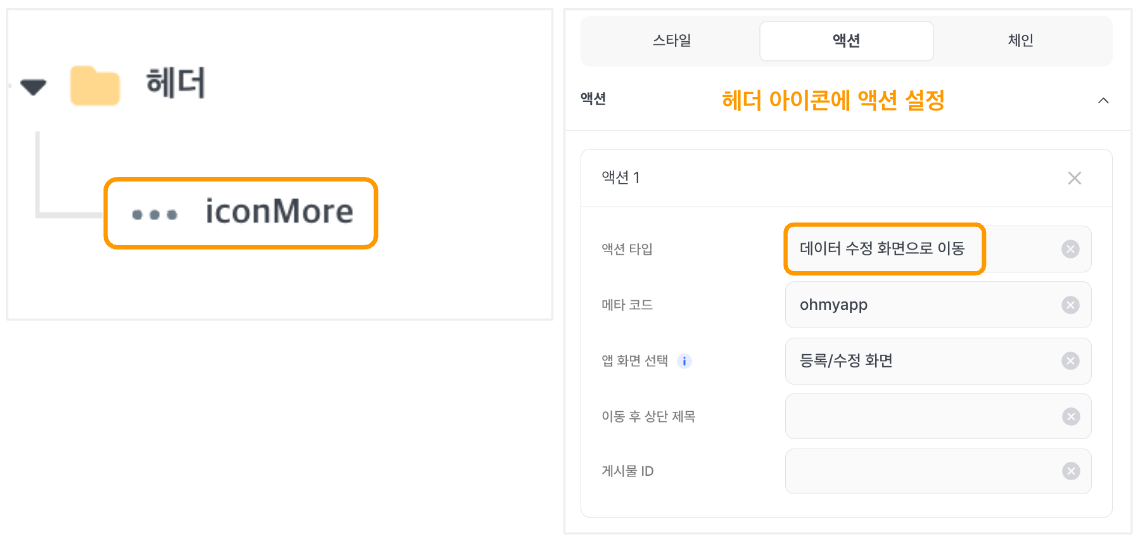
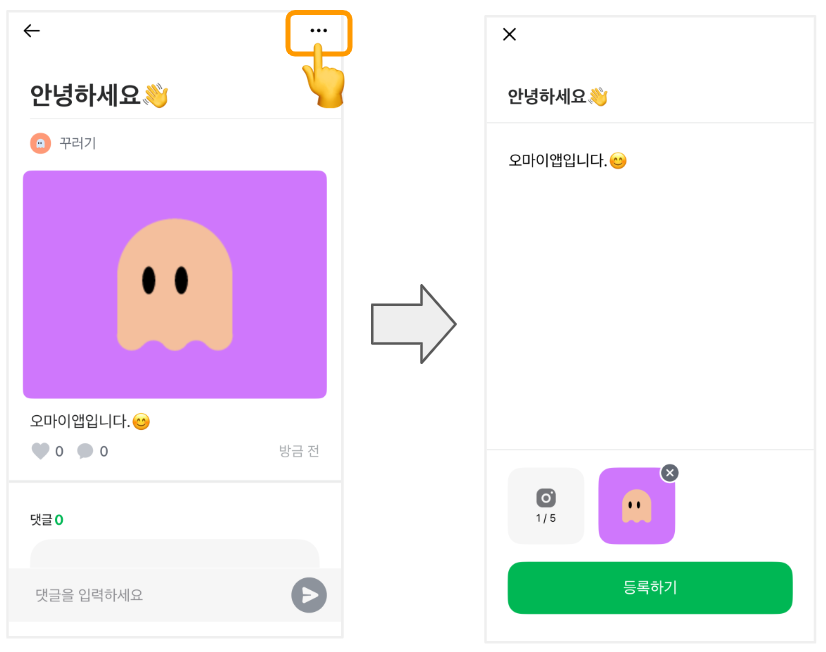
데이터 수정 화면으로 이동하는 동작을 수행해요. 주로 상세 화면에서 헤더에 '더보기' 아이콘의 \[수정] 버튼 액션 타입으로 많이 사용해요.
아이콘을 클릭하면, 설정한 **데이터 수정 화면으로 이동** 액션에 따라 원하는 메타의 데이터 수정 화면으로 이동해요.
{% hint style="success" %}
\[수정] 버튼을 만들 때는 주로 [바텀시트](/main/guide/develop_app/command-execute-function/action/bottomsheet.md) 액션 및 [다이얼로그 팝업창](/main/guide/develop_app/command-execute-function/action/dialog.md) 액션을 함께 사용해요.
{% endhint %}
> \#수정화면가기 #수정화면 #작성하기버튼 #작성버튼 #등록버튼 #수정버튼 #글쓰기버튼 #등록하기 #수정하기 #화면이동
2023.10.05 Jinny
**Transitioning to the data modification page (edit)**
This function enables a transition to the data modification page. It's commonly utilized as an action when clicking the 'more' icon in the header on the detailed item page.
> \#go to the modification page, ##initiate the post creation, #compose a new post, #register, #modify, #page transition
2023.08.10 Song